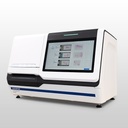
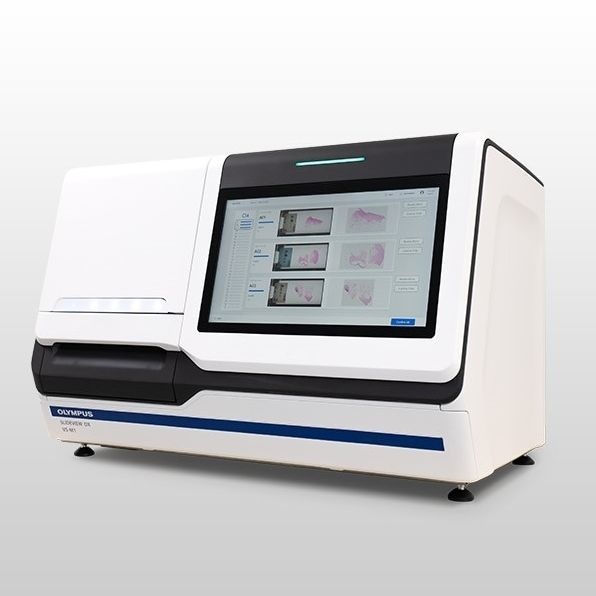
Digital Pathology Slide Scanner: Olympus SLIDEVIEW DX
Our digital pathology slide scanner combines speed, ease of use, and microscope-quality images to streamline your digital pathology workflow. Designed to support fast and accurate digital pathology, it offers stunning, high-resolution whole slide images with advanced illumination designed specifically for pathology stains. Its user-friendly interface easily integrates with lab information systems and allows for easy, secure sharing of slides. Built to meet the demands of busy pathology labs, the scanner is scalable and capable of scanning over 80 slides per hour with minimal rescans.
Fast and Efficient Digital Pathology
We’ve combined some of our most advanced technologies to create a fast slide scanner that delivers microscope-quality images on screen. The SLIDEVIEW DX VS-M1 scanner’s advanced technology facilitates the digital pathology workflow to help pathologists make diagnoses efficiently with images they can rely on.
In Europe, SLIDEVIEW DX VS-M1 is regulatory compliant (under the name VS-M1) for IVDR (EU) for in vitro diagnostic use.
The basic package includes:
- Slide scanner with automatic feeder
- Controlling computer
- 5 loading racks (30 slides each)
- Medical grade monitor
- IMS software for viewing, annotating, and collaborating
LIS Connector software for integration is available as an option.
Contact us for a discussion about how the SLIDEVIEW DX VS-M1 fits your needs.
Supports Efficient Digital Pathology Diagnosis
With its high-speed and quality images, the SLIDEVIEW DX VS-M1 scanner supports customers looking to adopt or currently performing digital pathology.
- Stunning, fully-in-focus whole slide images: images are exceptionally flat with high resolution.
- Illumination made for pathology stains: the scanner’s LED light source mimics the color temperature of halogen lamps to provide the colors necessary for pathology stains.
- Onscreen images are like looking through the oculars: the images are displayed on a high color rendering, medical-grade monitor with automatic color calibration.
- Virtual slide tray mimics a physical slide book: quickly and easily arrange digital slides in a way that’s familiar to pathologists.
- View slides and patient information on one screen: the system easily integrates with your lab information system (LIS).
- Securely share you slides: easily share slide images with other pathologists and Experts.
Built for Busy Pathology Labs
The SLIDEVIEW DX VS-M1 system is scalable - for example, using two scanners would allow you to process 300 slides at a time - and configurable, so you can focus on speed or higher image quality.
- Load slides smoothly and safely: slides are loaded vertically to reduce the chance of dropping them.
- Easy to operate while standing: the controls are easily accessible from a large touch screen.
- Fast: scan more than 80 slides per hour with no time-consuming focus mapping.
- Fewer rescans: the system’s AI identifies tissue on the slide to help make sure that all the tissue areas are scanned.
- Configure the scanner based on your preferences: three scan modes enable you to focus on speed, accuracy, or faintly stained/uneven samples.
Fast, efficient digital pathology workflow: The scanner's controls are easily accessible from its large touch screen, which can be used with gloves. Ealisy load the slides into the rack and then place them into the scanner. The slides are loaded vertically to reduce the chance of dropping them. The system walks you through the steps to start scanning. When the scan is complete, you can check the quality of the digital slides using the same touch screen and deliver them directly to the pathologist at the push of a button.
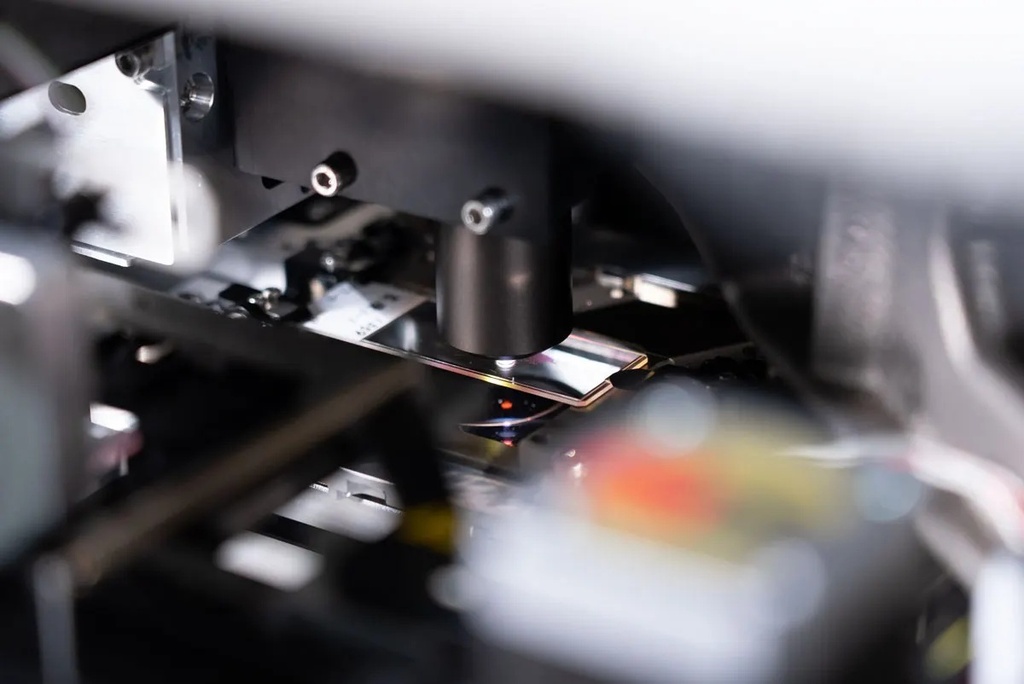
High-speed slide scanning: The scanner's fast scan speed - more than 80 slides per hour - enables slides to be quickly digitized for faster delivery to the pathologist. During the scan, the system's real-time autofocus enables you to skip the time-consuming focus mapping phase for faster scans.
Product highlights
Control your digital pathology scanner: The Evident Management Portal (EMP) is used to configure and maintain our scanners, and can be connected to multiple scanners in a laboratory. It enables access control, scanner configurations, barcode parsing, default scan mode, diagnostic information, active status, instrument logs, audit logs, and scanner usage statistics.
Microscope-quality images onscreen: Make your diagnoses with the convenience of digital slide images that you can have confidence in. With the award-winning X Line UPLXAPO objectives you get exceptional flatness and high resolution, enabling seamless stitching and stunning whole slide images that are fully in focus.
View pathology slides on a medical-grade monitor: The images are displayed on a high colour rendering, medical-grade monitor tailored for digital pathology. You can be confident that the slide images on screen are as close as possible to what you would see looking the oculars.
Efficient pathology diagnosis workflow: The SLIDEVIEW DX VS-M1 software was developed in collaboration with pathologists, so its layout and functionality will be intuitive and the system easy to learn.
Integrates with your Lab Information System: The system's software integrates with your LIS to display the slide and patient information in one convenient window to help you remain focused on making a diagnosis. View images from the virtual slide tray and easily make measurements and annotations on the digital slide image.
Remote collaboration: Convenient collaboration tools enable you to securely share slide images with other pathologists or experts not matter where they are located. Users can access the data from any computer without installing software.
Reliable digital pathology AI: The system's advanced AI* automatically identifies the tissue on the slide so that only the tissue is scanned. This speeds up the scanning processes and minimizes the need for rescans caused by undetected issue. *Machine leaning based software with regulatory framework.
Flexible digital pathology imaging: The system has three flexible scan modes that enable you to tailor the scan based on your lab's priorities. Speed scan mode uses a fast real-time autofocus to acquire quality images quickly. The focus scan mode uses a single--point autofocus to create a detailed focus map before scanning, improving accuracy. In manual setting mode, you have the option to individually set each focus point, helping keep faintly stained or uneven specimens in focus.
Easily onboard and manage your digital pathology solution: The software easily integrates with your existing Lab Information System (LIS) and supports various healthcare network protocols, including HL7. The DICOM format (optional software solution) enables compatibility with existing PACS or DICOM-based image management systems. The system has HIPAA and NIST data security features, encryption, and central account management. IT technicians can use the system's central account manager to remotely view scanner system faults and errors, as well as download reports.
Control your digital pathology scanner: The Evident Management Portal (EMP) is used to configure and maintain your scanners. The EMP can be connected to multiple scanners in a laboratory. It enables you to control who has access to the scanner and EMP, set scanner configurations, barcode parsing and default scan mode, and provides diagnostic information, including active status, instrument logs, audit logs, and scanner usage statistics.